Holonomic Wheels: 4-Wheel Drive Pre-Screen
Looking for a 3 wheel holonomic drive? This page explains its sizing boundary; the tool below screens four-wheel layouts only. Estimate four-wheel load and torque needs from your route profile, then verify the result against supplier data.
Canonical path: /learn/holonomic-wheels
Published · Last updated
Executive summary for mixed do/know intent
Core conclusions first, then deep rationale. This section bridges tool output and procurement decision.
Conclusion 1
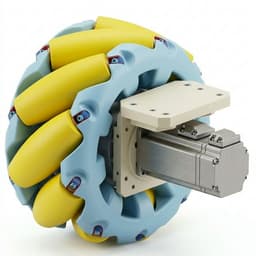
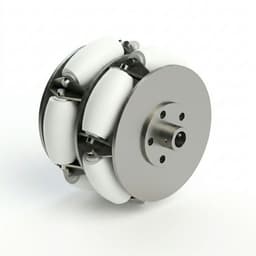
Holonomic motion depends on wheel geometry and controller mapping; confirm the exact layout before inferring lateral motion capability.
Evidence: S2, S3, S4 (checked 2026-05-13)
Conclusion 2
Public product specifications use different load, speed, grade, and floor conditions; compare the mission against the exact model limits.
Evidence: S11, S12, S13 (checked 2026-05-13)
Conclusion 3
Inference from the published model pages: they do not establish duty-cycle thermal margin, so request continuous ratings and validate representative shifts before procurement.
Evidence: S11, S12, S13 (checked 2026-05-13)
3 wheel holonomic drive: use a three-wheel model
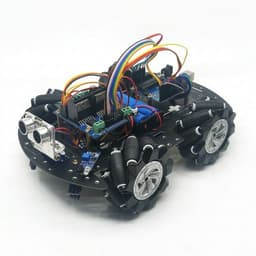
Three-wheel omni layouts can provide planar motion when the wheel directions and controller mapping support it. ROS 2 Control describes omnidirectional kinematics with wheel count, spacing, wheel radius, and orientation as explicit inputs. This page’s calculator is for an ideal equal-share four-wheel layout; its load and torque outputs must not be applied to a three-wheel chassis. See the ROS 2 Control kinematics reference (S14).
| Decision input | Three-wheel layout | This checker |
|---|---|---|
| Geometry | A model needs each wheel’s mounting angle and center radius; verify wheel type and roller direction. | Assumes four drive wheels and one wheel-center radius. |
| Load and torque | Check individual wheel loads, center-of-gravity offset, and each motor’s continuous torque. | Uses an ideal one-quarter load/force split and an internal torque proxy; not component ratings. |
| Next step | Validate the three-wheel kinematic model and loaded pilot data for the actual chassis. | Use the checker only for four-wheel screening, then request supplier and vehicle-level evidence. |
Scenario cases with assumptions and outcomes
Scenario outcomes are generated with the same tool model so decisions remain consistent.
FAQ by decision intent
Questions are grouped by route scope, reliability, and procurement actions.
Final action path
If your output is fit, proceed to RFQ. If borderline or out-of-envelope, move to pilot or custom engineering without route split.
Related engineering resources
Continue with drivetrain architecture checks, wheel-product context, and direct RFQ actions.